 NOOP App Guide

Quick steps
- Set up SideStore or AltStore on your iPhone (once, with a computer).
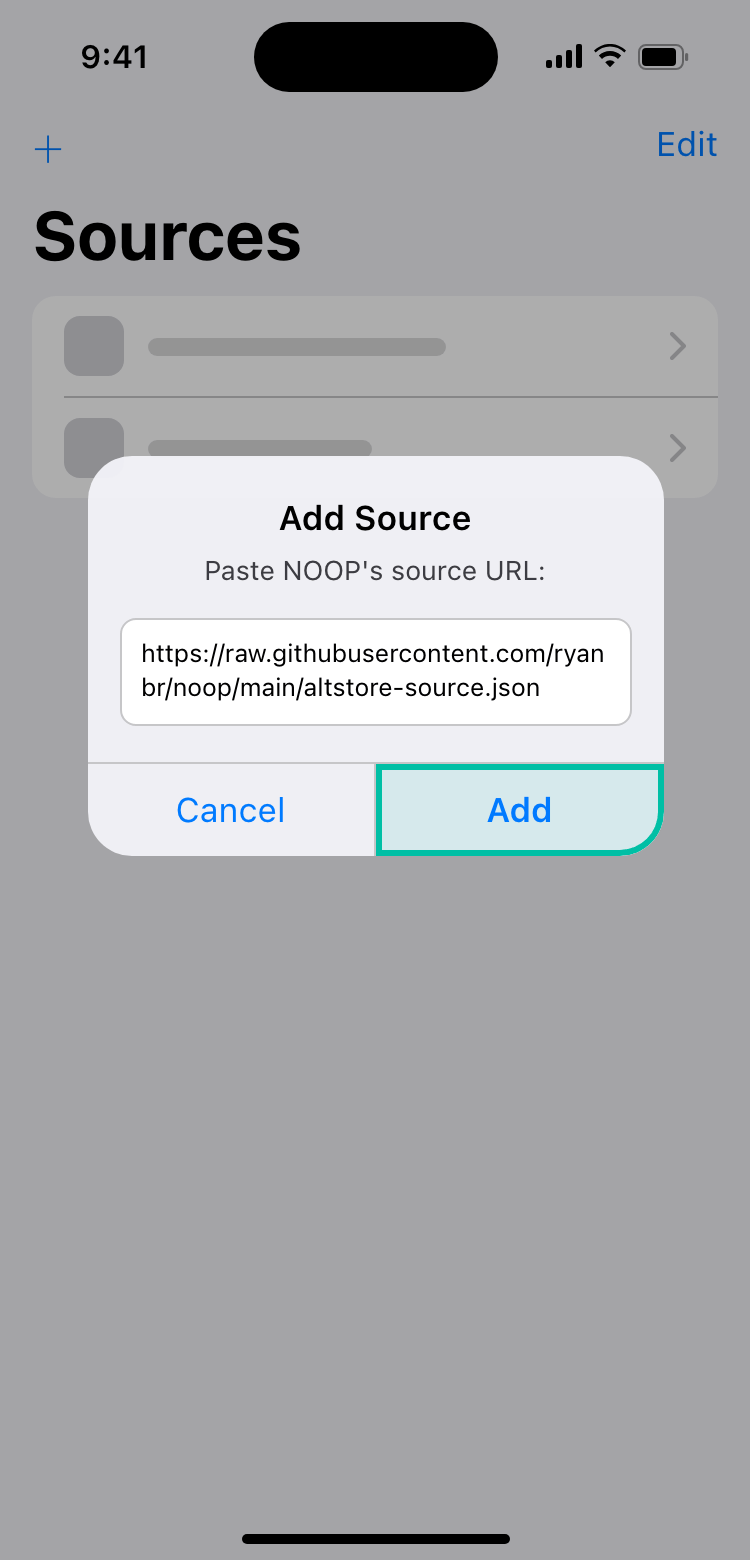
- In its Sources tab, tap + and add NOOP's source.
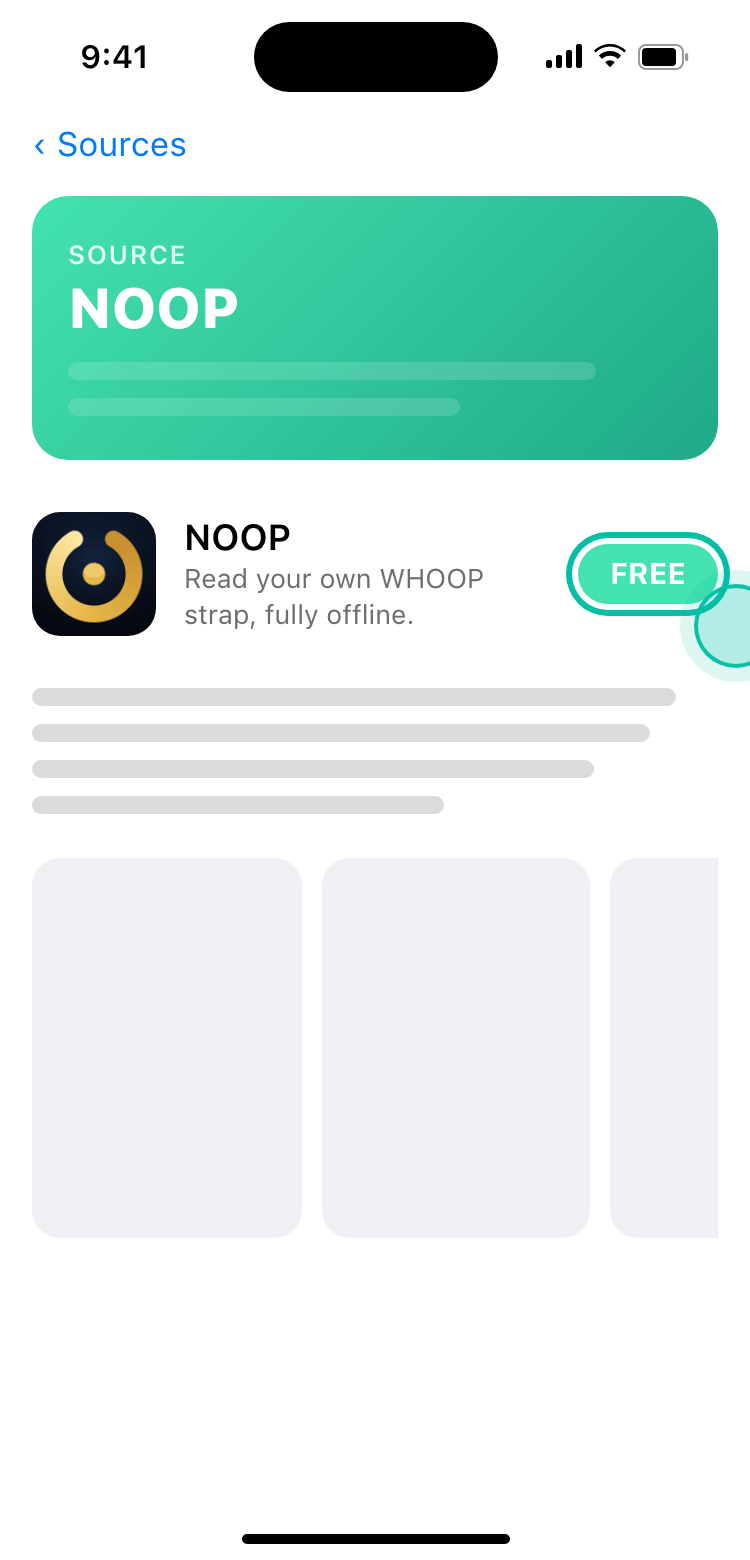
- Tap FREE next to NOOP, and keep its app extensions when asked.
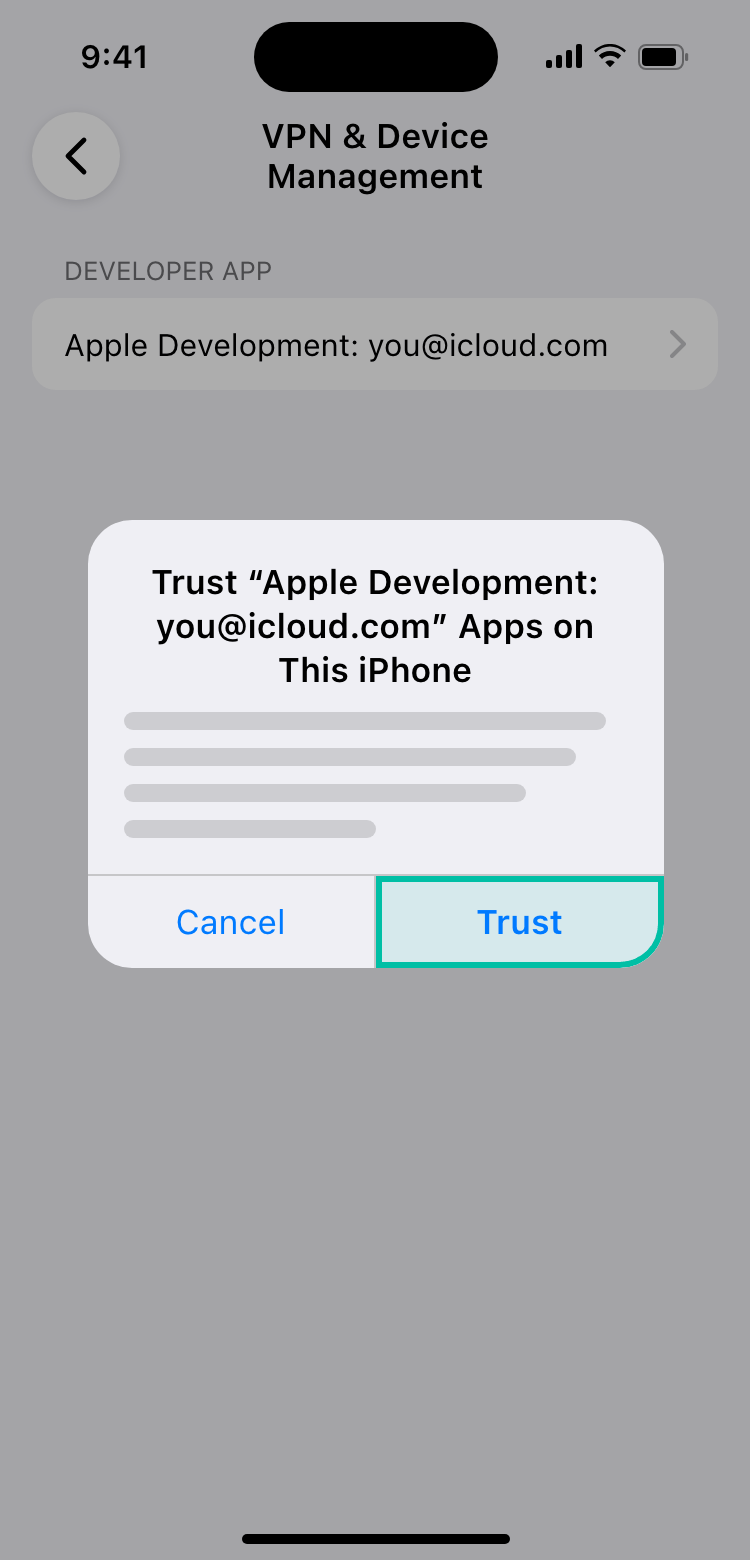
- Turn on Developer Mode, restart, then trust your Apple ID in VPN & Device Management.
- Open NOOP, allow Bluetooth, and pair your strap.
How NOOP gets onto an iPhone
Apple only lets apps from the App Store onto an iPhone, with one exception: developers can install their own apps for testing, using a free Apple ID. SideStore and AltStore use that exception for you. They sign NOOP with your Apple ID, on your phone, which is why NOOP itself can stay anonymous.
That comes with three rules from Apple:
- Apps signed with a free Apple ID last 7 days. SideStore and AltStore renew them automatically, so you rarely notice.
- A free Apple ID can have 3 sideloaded apps at a time, and SideStore or AltStore counts as one of them.
- Developer Mode has to be on in Settings for sideloaded apps to open.
Before you start
- An iPhone with iOS 17 or newer. Check in Settings → General → About → iOS Version.
- A free Apple ID. Your usual one works, or create a spare one just for sideloading.
- A Mac or Windows computer and a USB cable, for the one-time setup.
- Your WHOOP strap, charged.
The pictures below are drawings of each screen. SideStore and AltStore look a little different from each other, but both have the same Sources, + and FREE buttons.
Step 1: Set up SideStore or AltStore
Pick one. Both are free and both work with NOOP's source:
| SideStore | AltStore Classic | |
|---|---|---|
| Computer needed | Once, during setup | For setup, and on the same Wi-Fi each time apps refresh |
| How it refreshes | On the phone, using a small VPN app it sets up | Through AltServer on your computer |
| Website | sidestore.io | altstore.io |
We recommend SideStore because it refreshes NOOP without your computer. It's also the answer to a known AltStore sign-in bug (see troubleshooting). If you live in the EU, choose AltStore Classic, not AltStore PAL.
Follow the setup guide on the website of the one you picked. Their steps change from time to time, so their own guide is always the most accurate. You're done when the SideStore or AltStore app opens on your iPhone.
Step 2: Add NOOP's source and install it
A source is a list of apps that SideStore or AltStore can install and keep updated. Adding NOOP's source means you get every new version without downloading anything by hand.
Copy NOOP's source URL
Tap Copy on the box below. It has to be this exact address: it's the raw file, not a GitHub web page.
https://raw.githubusercontent.com/ryanbr/noop/main/altstore-source.jsonAdd the source
Open SideStore or AltStore and go to the Sources tab. Tap +, paste the address, and tap Add. If a preview of the source appears, confirm it.
Tap FREE next to NOOP
Open the NOOP source and tap FREE next to NOOP. Sign in with your Apple ID if you're asked. The app downloads, is signed on your phone, and installs. It can take a minute.
Keep the app extensions
If you're asked whether to keep or remove NOOP's app extensions, choose to keep them. They power NOOP's Home Screen and Lock Screen widgets and Live Activities. Removing them doesn't break the app, but those extras won't work.
Step 3: Turn on Developer Mode and trust your Apple ID
iOS won't open a sideloaded app until you've done these two things once. If SideStore or AltStore already opens fine, you've done them and can skip ahead.
Turn on Developer Mode
Open Settings → Privacy & Security and scroll to the bottom. Tap Developer Mode and turn it on. Tap Restart.
After your iPhone restarts, unlock it. When it asks whether to turn on Developer Mode, tap Turn On and enter your passcode.
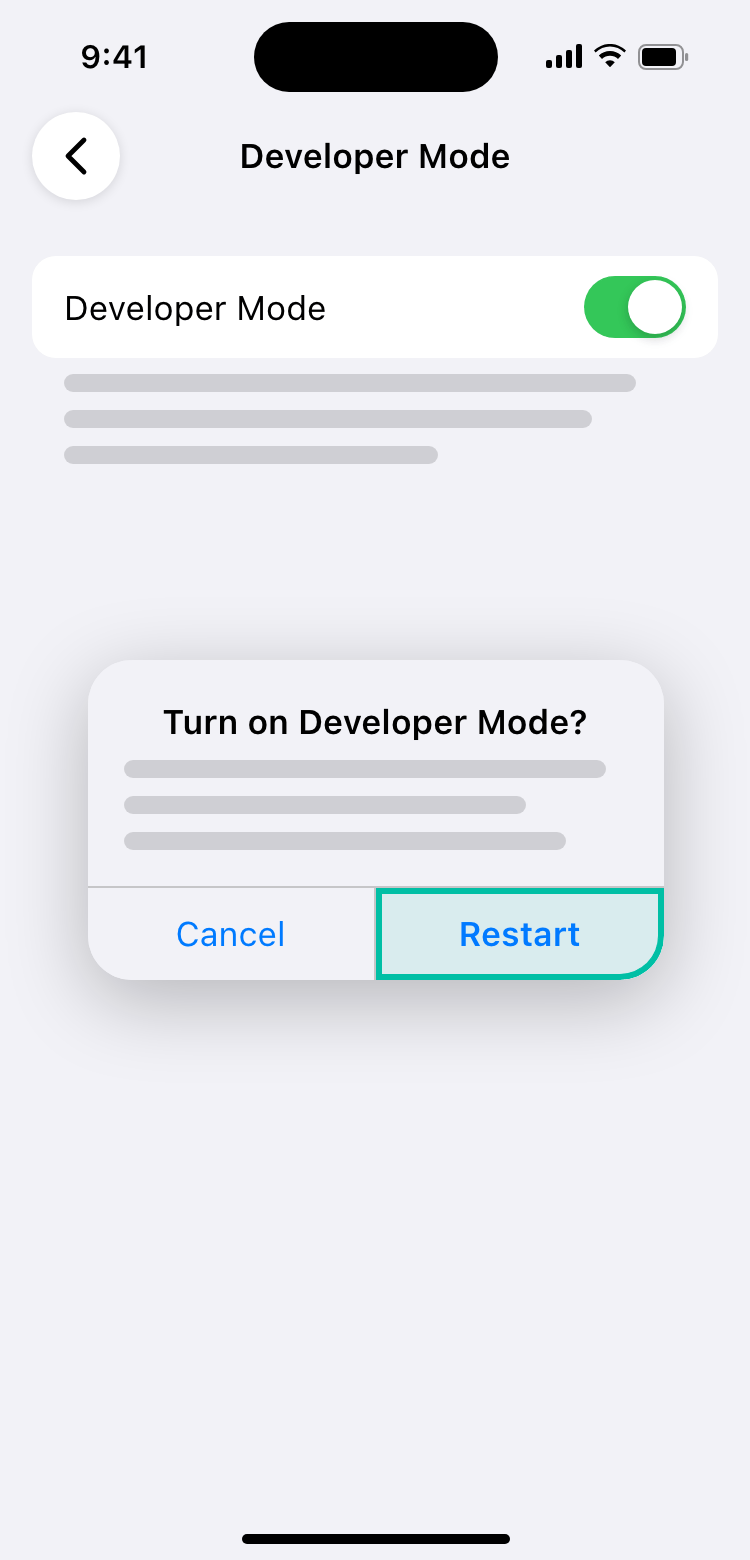
Don't see Developer Mode? It only appears after a sideloaded app is installed. Install NOOP first (step 2), then come back.
Trust your Apple ID
Open Settings → General → VPN & Device Management. Under Developer App, tap your Apple ID, then tap Trust and confirm.
Step 4: Open NOOP and allow Bluetooth
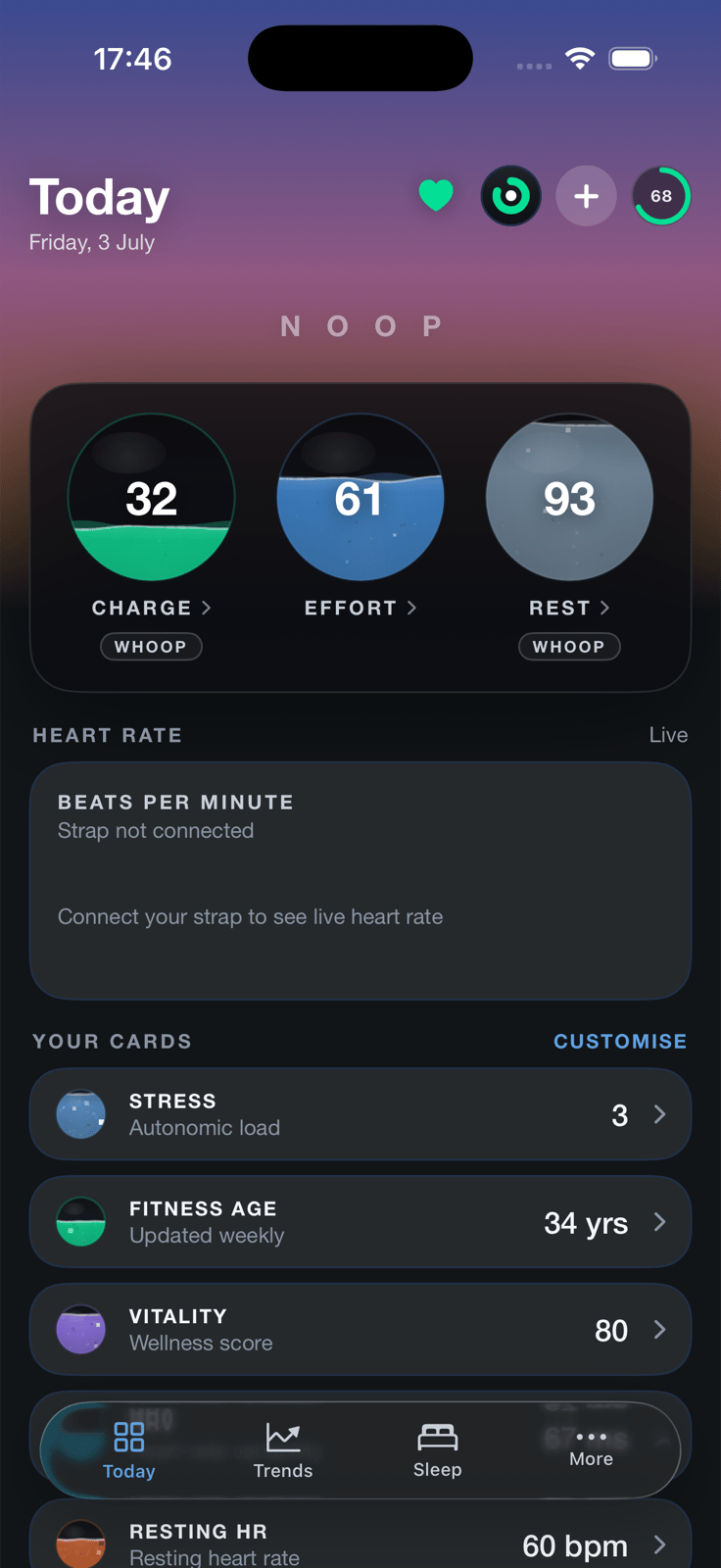
Tap NOOP on your Home Screen. The setup starts:
- Tap Begin, and read the short What NOOP does and What to expect screens.
- When iOS asks whether NOOP can use Bluetooth, tap Allow. NOOP explains why: it "connects directly to your WHOOP strap over Bluetooth to read heart rate, R-R intervals, battery, and sensor data locally on your iPhone. Nothing leaves your device."
- Allow notifications if you'd like wrist alerts and the smart alarm.
- Put your strap on and follow Find your strap. The pairing guide covers every detail.
Other way: install the IPA file directly
Prefer not to add a source? You can install the file itself, though you'll have to repeat this for every update.
- On your iPhone, download
NOOP-ios-unsigned-v12.0.0.ipa:
Download NOOP 12.0.0 (iPhone)20.9 MB
- Open the Files app, go to Downloads, and press and hold the
.ipafile. - Tap Share, then SideStore or AltStore. (Or, in SideStore or AltStore, go to My Apps, tap + and pick the file.)
- Then turn on Developer Mode and trust your Apple ID if you haven't yet.
Keep NOOP working: the 7-day refresh
Because NOOP is signed with a free Apple ID, its signature lasts 7 days. SideStore and AltStore renew it in the background. To keep that working:
- Keep SideStore or AltStore installed. Open it every few days.
- SideStore: keep its VPN app installed; it needs it to refresh.
- AltStore: leave AltServer running on your computer, on the same Wi-Fi as your iPhone.
- To refresh by hand: open My Apps and tap Refresh All.
If NOOP does expire, it just won't open. Your data is still there. Refresh it in My Apps and NOOP opens again exactly as you left it.
How to update NOOP on iPhone
If you added NOOP's source, updates arrive by themselves when SideStore or AltStore refreshes. To check now, open My Apps, pull down to refresh, and tap Update next to NOOP. Your data stays.
If you installed the IPA directly, download the new IPA and install it the same way, over the old one.
How to uninstall NOOP
Press and hold NOOP on the Home Screen, tap Remove App, then Delete App. This deletes everything NOOP stored on your iPhone, so export or back up first if you might want it again.
iPhone troubleshooting
| Problem | Fix |
|---|---|
| "Given data not valid JSON" when adding the source | You pasted a GitHub web page. Use the exact raw.githubusercontent.com address in step 2. |
"AltServer could not sign in with your Apple ID" (NSCocoaErrorDomain 3840) | A known AltStore bug on iOS and macOS 26.2, not your setup. Use SideStore instead. |
AltStore's error log says Install NOOP Failed (3840) | Read the whole log. If it also says Refresh AltStore Failed, it's the same AltStore bug. Use SideStore. |
| "Maximum number of apps" or "app limit reached" | A free Apple ID allows 3 sideloaded apps, SideStore or AltStore included. Remove one you don't need. |
| Untrusted Developer | Trust your Apple ID in VPN & Device Management. |
| A message that Developer Mode is required | Turn on Developer Mode and restart. |
| NOOP stopped opening after a week | Refresh it in My Apps. |
| No widgets or Live Activities | Reinstall NOOP and keep its app extensions when asked. |
| A DNS blocker, VPN or hotel Wi-Fi is on | These can break signing with similar errors. Turn them off while you install or refresh. |
Still stuck? Ask on r/NoopBand or NOOP's Discord, or check SideStore's and AltStore's own help pages.
Frequently asked questions
Do I need a computer to install NOOP on iPhone?
Only once, to set up SideStore or AltStore. A Mac or a Windows PC works. After that, SideStore installs, updates and refreshes NOOP on the phone by itself. AltStore needs its helper, AltServer, running on your computer on the same Wi-Fi each time it refreshes apps.
Do I need to jailbreak my iPhone?
No. SideStore and AltStore use Apple's own free developer signing, the same way developers install test apps on their phones. Your iPhone stays as it is.
Is it safe to sign in with my Apple ID?
SideStore and AltStore use your Apple ID to ask Apple for a free signing certificate. Your password goes to Apple, not to NOOP. If you'd rather not use your main Apple ID, you can create a second, free Apple ID just for sideloading.
Why does NOOP stop working after 7 days?
Apple signs apps for free Apple IDs for 7 days at a time. SideStore and AltStore renew that signature in the background before it runs out. If it does run out, NOOP won't open until you refresh it, but your data is kept. See the 7-day refresh.
Can I use a paid Apple Developer account instead?
Yes. With a paid account, apps stay signed for a year and the 3-app limit doesn't apply. SideStore and AltStore both support signing in with a paid account.
Why can't I use AltStore PAL in the EU?
AltStore PAL, the EU marketplace version, only installs apps that Apple has notarized for alternative marketplaces. NOOP isn't, so use SideStore or AltStore Classic, which sign apps with your own Apple ID.
Do Apple Health and the widgets work?
Widgets and Live Activities work if you keep NOOP's app extensions when SideStore or AltStore asks. Apple Health access can be limited when the app is signed with a free Apple ID. If it isn't available, NOOP's Settings has an Export for Shortcuts option that hands your numbers to Apple Health through the Shortcuts app.
Share this guide
Related guides
- 7 min readHow to pair your WHOOP strap with NOOPPair a WHOOP 4.0, 5.0 or MG strap with NOOP step by step: free it from the WHOOP app, use pairing mode, connect, and import your WHOOP history. Plus fixes for bond refused and missing data.Read the guide
- 5 min readNOOP not working? Fixes for every common problemNOOP won't install, won't pair, misses nights or shows Calibrating? Fixes for every common NOOP problem on Android, iPhone and Mac, plus how to report a bug with your strap log.Read the guide
- 7 min readHow to import your WHOOP data into NOOPGet your full WHOOP history into NOOP: request your WHOOP data export, import the zip, add Apple Health, Health Connect and nutrition data, and back up or move NOOP to a new phone.Read the guide
- 8 min readIs NOOP private? How NOOP handles your health dataIs the NOOP app private and safe? What stays on your device, the few cases where data can leave it, every permission explained, encryption, the AI Coach, and how to keep NOOP fully offline.Read the guide